



Jump to content

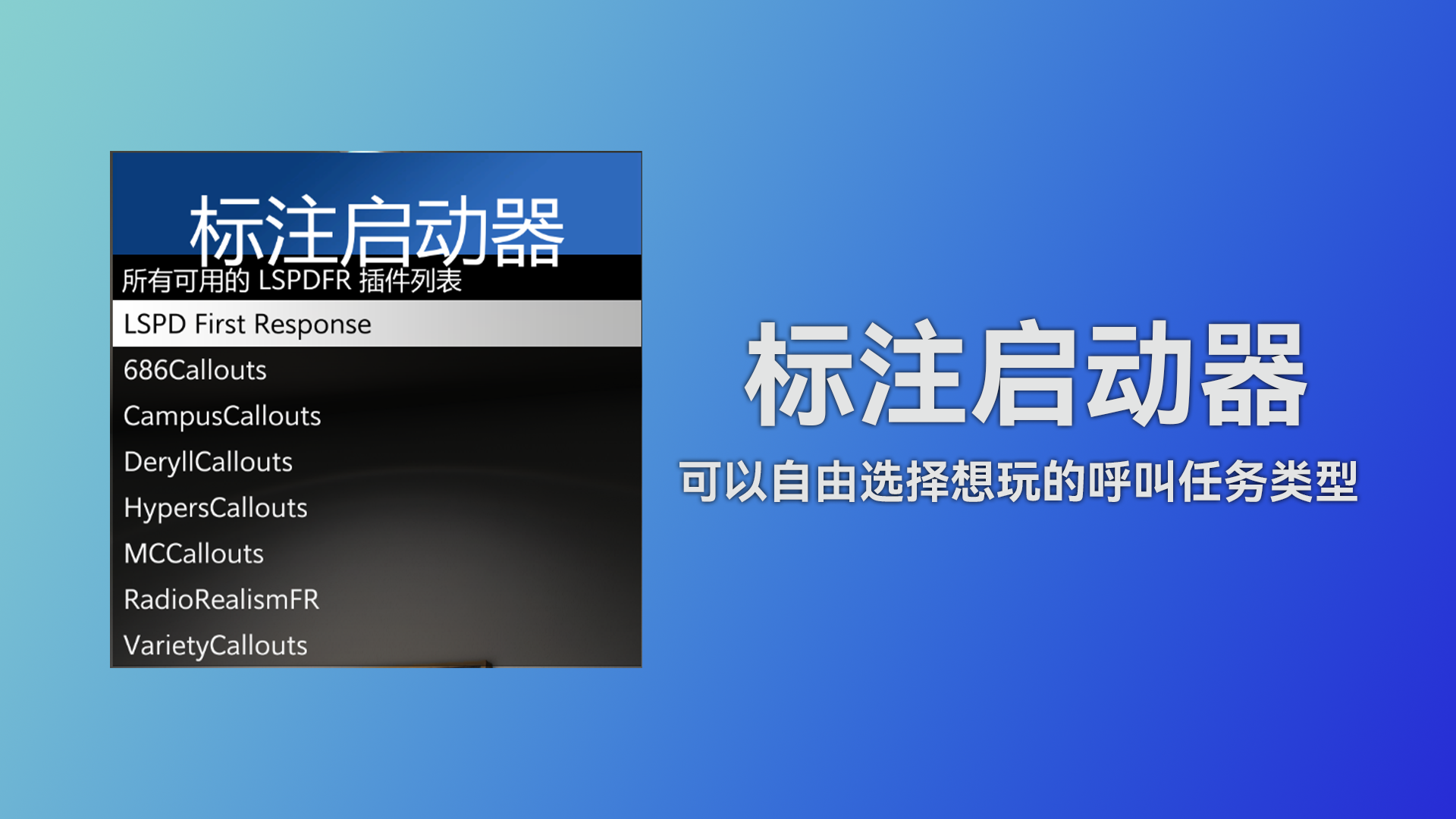
[标注启动器] Callout Launcher 1.8.0.0

(0 reviews)

4 Screenshots

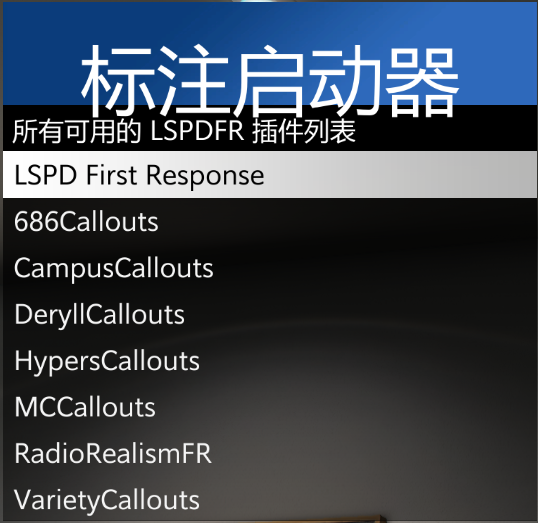
Callout Launcher 是一个受 Callout Manager 启发的 LSPDFR 插件,具有相同的便捷功能,兼容最新版本的 LSPDFR 和 GTA V。

安装要求

必需模组
安装步骤
  1. 确保已安装 LSPDFR 和 RAGENativeUI

  2. CalloutLauncher.dll 放入 Plugins/LSPDFR 文件夹

  3. 启动游戏,首次运行会自动生成配置文件

配置说明

编辑 Plugins/LSPDFR/CalloutLauncher/CalloutLauncher.ini

[Keys]
OpenMenu=F6                    ; 打开菜单的按键

[Settings]
CloseAfterPressButton=false    ; 启动呼叫后关闭菜单
LanguageType=auto              ; 语言设置 (auto=自动)
TimeAfterCallout=0             ; 呼叫启动延迟(秒)

使用说明

  1. 进入游戏并担任警察角色

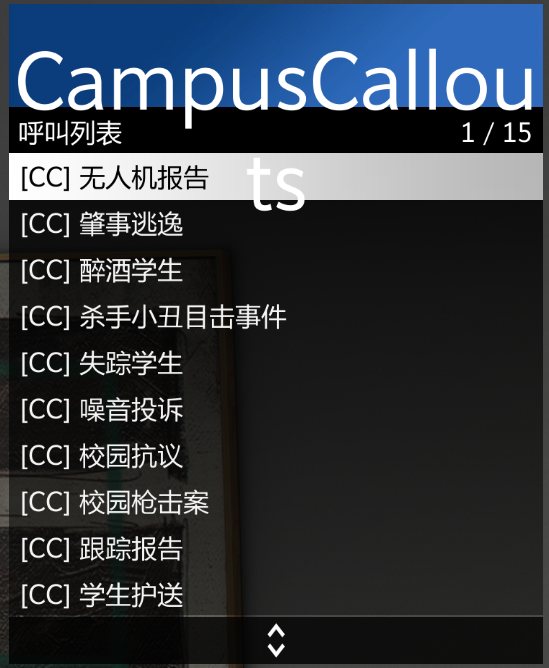
  2. F6 打开呼叫选择菜单

  3. 从列表中选择想要的呼叫任务

  4. 根据设置,菜单可能自动关闭或保持打开

注意事项

  • 确保所有必需模组已正确安装

  • 如遇菜单不显示,请检查 RAGENativeUI 安装

  • 快捷键冲突可在配置文件中修改

这款插件让 LSPDFR 的呼叫管理变得更加简单直观,大大提升了游戏体验!

What's New in Version 1.8.0.0

Released

No changelog available for this version.

User Feedback

You may only provide a review once you have downloaded the file.

There are no reviews to display.

Important Information

Terms of UsePrivacy PolicyGuidelinesWe have placed cookies on your device to help make this website better. You can adjust your cookie settings, otherwise we'll assume you're okay to continue.

Configure browser push notifications

Chrome (Android)
  1. Tap the lock icon next to the address bar.
  2. Tap Permissions → Notifications.
  3. Adjust your preference.
Chrome (Desktop)
  1. Click the padlock icon in the address bar.
  2. Select Site settings.
  3. Find Notifications and adjust your preference.