



Jump to content

[沉浸式效果] Immersive Effects 1.2.2

(0 reviews)

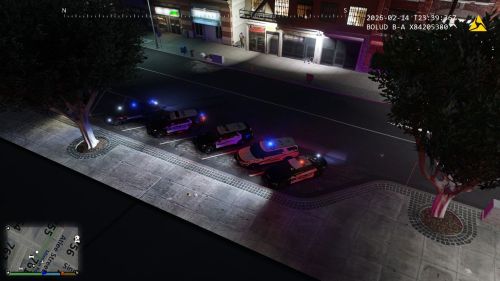
1 Screenshot

本模组旨在显著提升游戏的沉浸感与真实感。它能根据游戏内的紧张事件(如交火、受伤)触发逼真的镜头晃动环境音效(如心跳声),让玩家的感官体验更贴近现实。

安装步骤
  1. 将下载的压缩包中名为 “主文件” 的文件夹内的所有内容,复制到您的《GTA V》游戏根目录

效果触发机制
  • 视觉效果:在射击、车辆碰撞、受伤、跳跃、换弹(非瞄准时)、使用手刹、坠落时触发镜头晃动。

  • 音频效果:在角色受伤、进入战斗状态、附近有枪声时触发相应的环境音效。

设置与控制
  • 打开菜单:游戏中按下 X + 3

  • 主要设置

    • 自定义各类镜头晃动的强度。

    • 单独开关音频效果。

    • 提供 保存、恢复默认、重置 配置的功能。

User Feedback

You may only provide a review once you have downloaded the file.

There are no reviews to display.

Latest Mods

Important Information

We have placed cookies on your device to help make this website better. You can adjust your cookie settings, otherwise we'll assume you're okay to continue. Our Terms of UsePrivacy PolicyGuidelines

Account

Navigation

Search

Configure browser push notifications

Chrome (Android)
  1. Tap the lock icon next to the address bar.
  2. Tap Permissions → Notifications.
  3. Adjust your preference.
Chrome (Desktop)
  1. Click the padlock icon in the address bar.
  2. Select Site settings.
  3. Find Notifications and adjust your preference.