






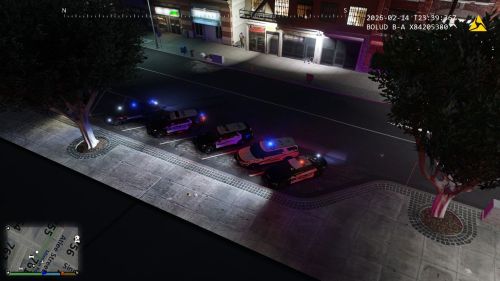
Automatic Siren Cutout 是一款专为 ELS 用户设计的插件。当您从警车下车时,它会自动关闭警笛(保留警灯),避免下车后警笛持续鸣响。
功能特点
🔇 自动警笛切断:下车时自动关闭警笛(模拟按 ELS 灯光键 4 次)
🎺 友好鸣笛:对其他警车按喇叭或闪灯,对方会鸣笛或闪灯回应
🚦 交通灯控制:开启 Stage 3 警灯时,前方 50 米交通灯强制变绿(不影响 AI 车辆)
🚗 交通让行:车辆静止且 Stage 3 警灯开启时,后方 AI 车辆会从左侧绕行
必需环境
安装说明
将
Plugins文件夹和InputManager.dll放入GTAV根目录
配置参数
首次运行后自动生成配置文件:Plugins/LSPDFR/AutomaticSirenCutout.ini
参数 | 默认值 | 说明 |
|---|---|---|
EnableASC |
| 启用自动警笛切断 |
EnableFriendlyHonk |
| 启用友好鸣笛 |
EnableTrafficLightControl |
| 启用交通灯控制 |
EnableYielding |
| 启用交通让行 |
KeyboardExitVehicle |
| 下车键(必须与游戏一致) |
KeyboardELSLights |
| ELS 灯光切换键 |
KeyboardHorn |
| 喇叭键 |
KeyboardYelp |
| 手动警笛键(用于友好鸣笛闪灯) |
ControllerExitVehicle |
| 手柄下车键 |
ControllerELSLights |
| 手柄 ELS 切换键 |
ControllerHorn |
| 手柄喇叭键 |
ControllerYelp |
| 手柄警笛键 |
常见问题
Q:下车后警笛仍然响?
A:检查 KeyboardELSLights 是否与实际 ELS 灯光切换键一致(默认 J)。如果您的 ELS 灯光键不是 J,请在配置文件中修改。
Q:下车卡顿或按 F 无效?
A:本版本已修复该问题。如果仍遇到,请确保 KeyboardExitVehicle 与游戏设置完全相同。
Q:友好鸣笛没反应?
A:确保目标车辆距离 ≤30 米、有司机、有警笛且未开警笛。按键后会有 1.5 秒延迟回应。
Q:交通灯控制无效?
A:仅对 Stage 3 警灯有效,且需要 ELS 支持。
Q:交通让行无效?
A:需要车辆静止且 Stage 3 警灯开启。部分非 ELS 车辆可能不支持。
Q:可以关闭自动警笛切断吗?
A:将 EnableASC 改为 false 即可。








下载文件后,才可以评论。
没有评论。