



Skip to content

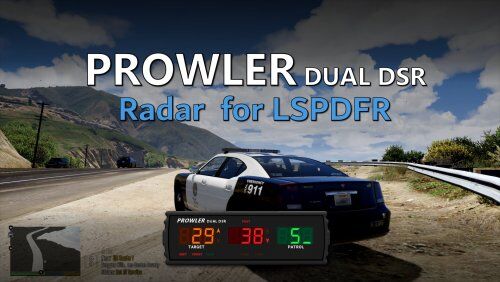
[潜行者雷达]Prowler Radar 1.3.1

(1 review)

2 Screenshots

注:插件默认配置菜单按键为F11,与EUP菜单冲突,请自行到ProwlerRadar.ini修改

此配置文件已更改为F7

ProwlerRadar.ini替换至Grand Theft Auto V\Plugins\LSPDFR 即可

简要介绍

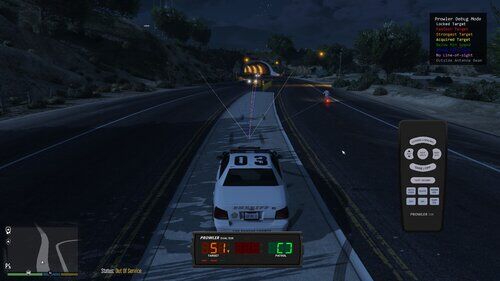
一个逼真的警察雷达

特色:

  • 基于现实世界的Stalker Dual DSR的真实雷达系统

  • 有四种不同的模式,包括静止和移动

  • 一个“快速”跟踪器,用来区分最强信号和最快信号

  • 一个“自动锁定”功能,可以让你设置最高速度

安装方法

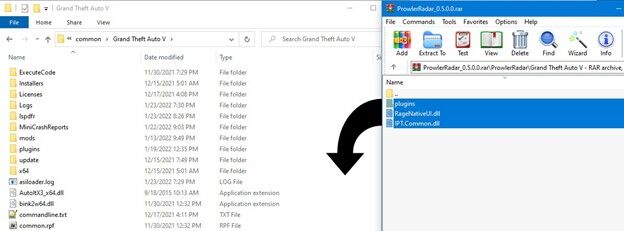
将你下载得到的 ZIP压缩包内的所有文件,直接拖拽至《侠盗猎车手 5》的游戏根目录。
图片1.jpg

推荐搭配 测速枪 使用

1.3.1版本的新内容

发布2025年8月16日

潜行者雷达1.3

  • 屏幕遥控器新增

  • 添加多普勒声音

  • 新增了“调试模式”,让你能实时看到雷达逻辑

  • 让光束宽度可配置

  • 将警车要求改为可选

  • 新增车牌识别器

  • 增加的最小目标速度

User Feedback

You may only provide a review once you have downloaded the file.

   3 of 4 members found this review helpful 3 / 4 members

进入游戏按哪个键显示?。

Response from the author:

NUM9(小键盘9),长按为调出遥控器


© 2022-2026 HUNTER Community. All Rights Reserved. Powered by Invision Community

Account

Navigation

Search

Search

Configure browser push notifications

Chrome (Android)
  1. Tap the lock icon next to the address bar.
  2. Tap Permissions → Notifications.
  3. Adjust your preference.
Chrome (Desktop)
  1. Click the padlock icon in the address bar.
  2. Select Site settings.
  3. Find Notifications and adjust your preference.