




Skip to content

游戏帧率低?试试这两种插帧方法提升流畅度!

(0 reviews)

玩游戏时画面卡顿、帧率忽高忽低,不仅影响操作手感,更破坏了沉浸感。如果你的显卡性能不足或游戏优化不佳,导致帧率无法达到流畅标准,不妨试试以下两种插帧技术——它们能通过算法在原有画面之间插入“过渡帧”,让视觉流畅度大幅提升。

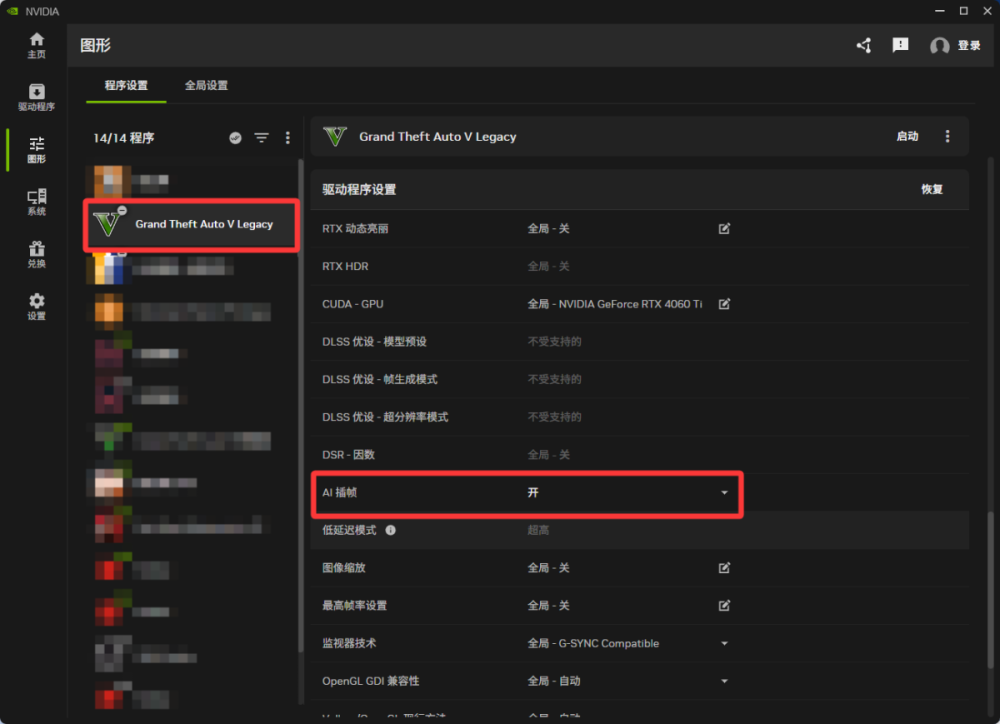
方法一:NVIDIA App(仅限RTX 40系以上显卡)

  1. 设置:打开App → 左侧“图形” → 找到你的游戏 → 打开“AI插帧”开关。

  2. 开玩:进游戏就能感受到帧数飙升。

image.png


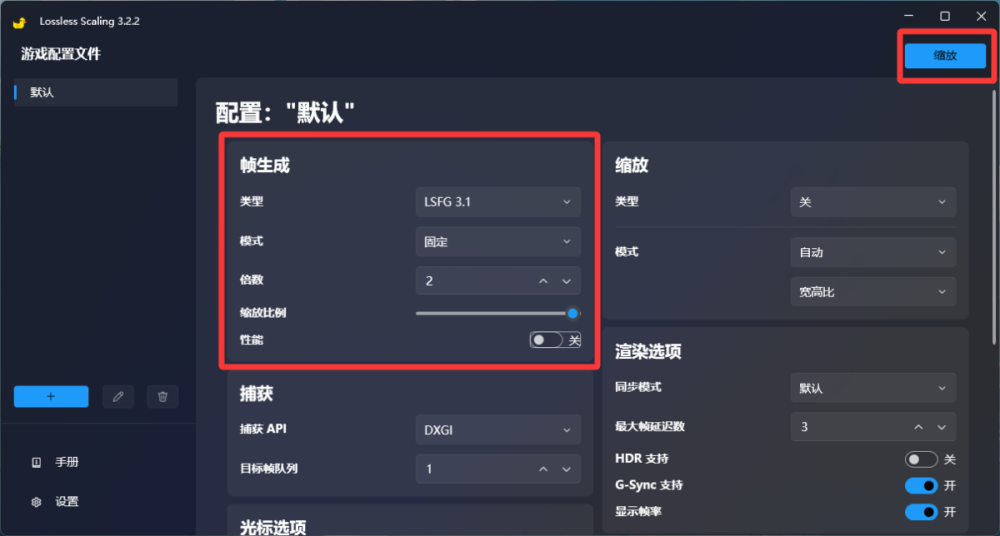
方法二:小黄鸭 Lossless Scaling(所有显卡通用)

  1. 设置:打开软件 → 帧生成倍率选“2x”。

  2. 开玩:运行游戏(要设成窗口化或无边框)→ 按快捷键 Ctrl+Alt+S 即可开启插帧。

image.png

User Feedback

Create an account or sign in to leave a review

There are no reviews to display.


© 2022-2026 HUNTER Community. All Rights Reserved. Powered by Invision Community

Account

Navigation

Search

Search

Configure browser push notifications

Chrome (Android)
  1. Tap the lock icon next to the address bar.
  2. Tap Permissions → Notifications.
  3. Adjust your preference.
Chrome (Desktop)
  1. Click the padlock icon in the address bar.
  2. Select Site settings.
  3. Find Notifications and adjust your preference.